
- Home
- Vietnam visa for Indians
- Vietnam E-Visa Photo Rejected? 6 Exact Specifications Phone Selfies Fail
- Vietnam visa for Indians
- On 04.08.2026
- Poorva Sharma
- Tags International Travel from India
Vietnam E-Visa Photo Rejected? 6 Exact Specifications Phone Selfies Fail
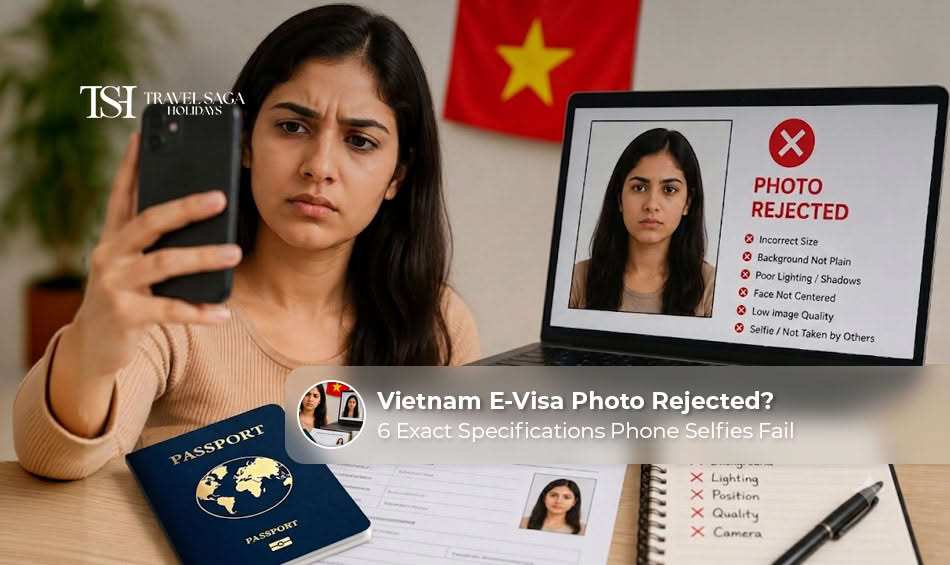
One of the major reasons why applicants face delays or rejections in their application proceedings is the Vietnam e-visa photo requirements 2026 as well. Even clear selfies taken on phones sometimes fail to meet the official Vietnam E-Visa Specifications for Photos, causing immigration authorities to return applications for correction. Read this guide to learn why Vietnam E-Visa Photos get rejected, what the exact photo specifications are, and how to avoid common mistakes before submitting your e-Visa application.
Why Vietnam E-Visa Photos Get Rejected?
You must be curious about “Why Vietnam e-visa photos get rejected”. A common cause for delays in processing Vietnam e-Visas is the submission of a photo that fails to comply with the required specifications. To obtain the e-Visa, you must fulfil a set of requirements, and if you fail to do so, then your visa will be rejected. You can check the Vietnam E-Visa ‘Amendment Required’ 2026 to know what changes your application might need.
If your photo is not passport-sized, in JPG/JPEG format, or above the size of 2 MB, then your photo will not be accepted. Also, the background should be plain white and should show your complete face facing the camera directly.
Moreover, try to avoid pictures that are of poor quality and in which your face is not clearly visible with a plain white background. Keep reading for detailed information about Vietnam e-visa photo requirements 2026.
Note: If you have already got your e-Visa, explore the Vietnam 8 Days Tour Packages to plan your trip with ease.
Enquire Now: Vietnam Tour Packages
Vietnam E-Visa Photo Requirements 2026
The Vietnam e-visa photo specifications are something you need to know before you start filling out the application on the online platform. Also, you can apply for a Vietnam Tourist Visa for Indians to help you get started.
Submit a New 4 × 6 cm Picture
The picture must show a recent image of you and measure 4 × 6 cm. Also, it must be in JPG/JPEG format and must not exceed 2 MB.
Opt for a Plain White Background
Stand against a spotless white background with good illumination on the face. Further, ensure that the picture has no shadows, a coloured background, or a patterned wall so the system accepts it.
Face the Camera
It is also necessary to wear a neutral expression and look directly into the camera, making sure that the entire face can be seen, being among the most important Vietnam e-visa photo specifications.
Remove Glasses and Headgear
One should refrain from wearing glasses and headgear unless there is a medical or religious need.
Wear Neat Appearance
The official portal states that wearing formal clothing is the best practice in terms of dressing for the photo. Moreover, clothes should not serve as camouflage.
Clear Scan of Passport Data Page
In addition to the portrait photo, you should upload a clear scan of your passport data page. Thus, this means you must make the page clearly visible without glare, shadows, or cut corners.
Note: Our Vietnam 9 days Tour Package is ideal for you if you want a hassle-free trip with a well-planned itinerary.
Enquire Now: Vietnam Tourist Visa for Indians
How to Fix a Rejected Vietnam E-Visa Photo
Just because you received a rejected photo, it does not mean you need to apply again. Further, the Vietnam Immigration Department might just ask you to make changes. Thus, after which you might just be able to upload a new photo via the e-Visa portal.
Receive an Amendment Request
Find out the reason for rejection and see if the reason is your portrait photo, the passport picture, or maybe other documents.
Submit an Acceptable Photograph
After being rejected, you need to take a new photo that meets the requirements of the Vietnam e-visa photo instructions 2026. Moreover, this means that it has the right size, white background, and file format.
Submit Your Application and Monitor It
You have to upload a proper photograph and check the current status of your application. Further, after your visa is obtained, you can embark on the Vietnam 6 Days Tour Package for a memorable experience.
Tips to Avoid Vietnam E-Visa Photo Rejection
Before you proceed to submit your application, make sure to go through these tips so that you can avoid Vietnam e-visa photo rejection.
Take a Recent High-Resolution Picture
It is necessary to upload a recent color picture taken against a plain white background with proper illumination and visibility of your face. Also, you should avoid blurred, edited, and filtered images.
Look Through Everything Before Submitting
Make sure you check both portrait and passport photos carefully before uploading them for the approval process. Further, you can also explore the official site of the Vietnam E-Visa for more information and the latest updates.
Don’t Use an Ordinary Phone Picture
Despite the fact that a phone’s camera may be helpful, selfies are often not successful due to improper lighting or framing, or visible shadows. Thus, it is better to make an official portrait photo than crop and post the one taken for social media.
Note: If you are on a budget and want to make the most out of your trip to Vietnam, then book our Vietnam 7 Days Tour Package.
Conclusion
For every traveller interested in a trip to Vietnam, understanding the Vietnam E-Visa Photo Requirements 2026 could spare them from unnecessary delays, amendment requests, and visa rejection. Thus, make sure to double-check the specifications of your photo to confirm it complies with the requirements before uploading. Also, to make this smooth for you, Travelsagaholidays.in is here to assist with any visa-related issues or travel plans.
FAQs: Vietnam E-Visa Photo Requirements 2026
Yes, you can upload a selfie on a phone as a photo with a white backdrop, passport size, relevant format, quality lighting, accurate framing, recently clicked, clear, and your face is fully visible.
According to the officials, the size of the image used for a Vietnam e-Visa must be 4×6 cm, the format must be JPG/JPEG, and it must be less than 2 MB.
Some of the typical reasons include using a colored background, having a hat or glasses on, the photograph not being clear, and having an image that is not accurate.
If the immigration department asks you to make any edits in the application, they may allow you to upload another photograph via their website instead of filling out a new application.
Yes, according to the recent guidelines by the government, your photograph must have a white background.