
- Home
- Dubai Travel guide For Indian Travelers
- Is WhatsApp Calling Allowed in Dubai? Best Alternatives
Is WhatsApp Calling Allowed in Dubai? Best Alternatives
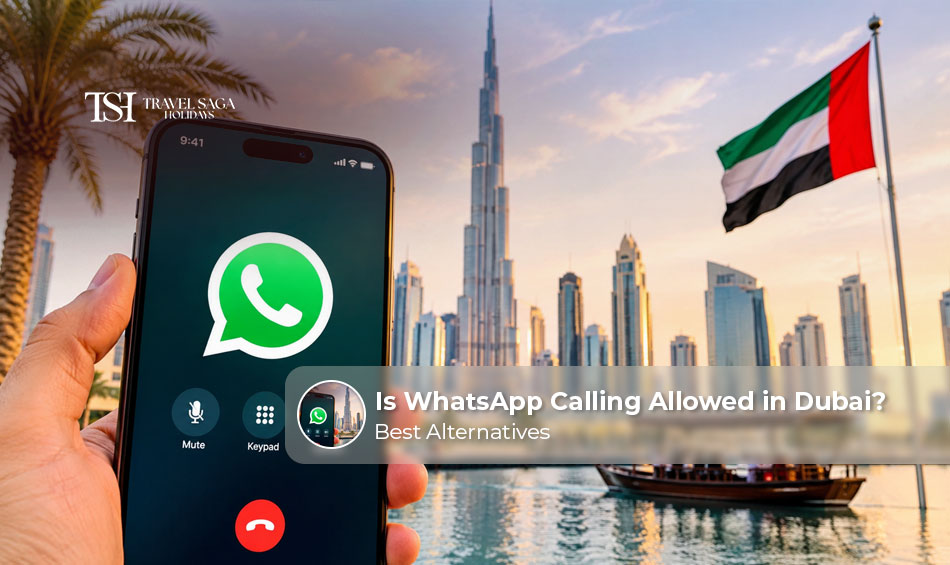
WhatsApp calls in Dubai do not work on UAE mobile networks or most Wi-Fi networks. However, WhatsApp itself is not banned. You can still send messages, photos, documents, and voice notes as usual. Only live voice and video calls are restricted. So, if you want to call family from Dubai, plan an alternative before you fly. This guide answers one simple question: is WhatsApp calling allowed in Dubai? It also explains the rules, the approved apps you can use instead, and how to stay connected on your trip.
Is WhatsApp Calling Allowed in Dubai?
No, WhatsApp voice and video calls are not allowed in the UAE. The Telecommunications and Digital Government Regulatory Authority (TDRA) controls this area. According to the TDRA’s official FAQ, voice and video calls over the internet are telecommunications services. These are known as VoIP services.
In the UAE, a VoIP service must meet one of three conditions. A licensed telecom operator provides it, or a licensed operator offers it in partnership with the app, or TDRA approves the app. TDRA publishes a list of approved apps, and WhatsApp is not on it. As a result, the UAE’s licensed operators, e& and du, block this traffic.
The rule covers the whole country. So, WhatsApp calls in Dubai, Abu Dhabi and Sharjah all face the same limit. Remember, though, that WhatsApp is not banned. Only the calling feature is restricted.
Does WhatsApp Work in Dubai for Messaging?
Yes, it does. With mobile data or Wi-Fi, you can use most features without trouble. Here is a quick guide:
| WhatsApp feature | Usually works in Dubai? |
| Text messages | Yes |
| Photos and videos | Yes |
| Documents | Yes |
| Group chats | Yes |
| Voice notes | Yes |
| WhatsApp Web (messaging) | Yes |
| Voice calls | No |
| Video calls | No |
A voice note is a recorded message. You send it, and the other person listens later. A live call is different because it happens in real time.
Many travellers get confused here. Their messages arrive fast, so they assume calls will connect too. However, a working internet connection does not guarantee that WhatsApp calling will work.
Why Are WhatsApp Calls Restricted in Dubai?
VoIP stands for Voice over Internet Protocol. It lets you talk or video chat through the internet instead of the normal phone network. WhatsApp, FaceTime, and many other apps use it.
The UAE treats VoIP as a regulated telecom activity. The rules sit in TDRA’s VoIP Regulatory Policy, version 2.0, and the federal telecom law. Under these rules, only licensed providers, their partners, or TDRA-approved apps can offer internet calling.
Licensed operators must also block services that fall outside these rules. TDRA places such services in the “illegal communication services” category. In simple words, WhatsApp has not received approval for calls, so the networks block them. You do not need to know more than that. You just need a legal alternative.
Note: If you want to make the most of your time in Dubai? Explore our Dubai Tours, Activities & Attractions to discover experiences you can include in your itinerary.
Best Calling Apps in Dubai: What Can You Use Instead?
Several apps on TDRA’s approved list offer voice and video calling in the UAE. Below are the ones that suit tourists and business visitors best. Always check the current list on the TDRA website before you travel, because it can change.
1. BOTIM
BOTIM is on TDRA’s approved list. It supports voice and video calls, so it works well for staying in touch with friends and family. It is also one of the most widely used calling apps among people living in or visiting the UAE. Install it before you land, while you are on your home network. The person you call usually needs BOTIM on their phone too. Some calling features may need a data or calling plan, so check the details in the app before you travel.
2. GoChat Messenger
GoChat Messenger is also on the approved list. It offers messaging along with voice and video calling. This makes it a useful second option for travellers who want a backup app. If BOTIM is slow or your contact does not have it, you can try GoChat instead. As with most calling apps, the person you call must have GoChat installed. Set it up before you travel, so you are ready on day one.
3. Voico
Voico is another approved app. It offers internet-based voice and video calls. Keep in mind that the person you call may need the app too. Its user base is smaller than BOTIM’s, so fewer of your contacts may have it. It works best as a backup. If you plan to use it, ask your family to install it before your trip.
4. Microsoft Teams
Microsoft Teams suits professional calls, meetings, and group chats. For example, you can join a work meeting from your hotel without any trouble. It is on the approved list, so it works on a normal connection. Teams also offers file sharing and chat channels. If your company already uses it, you can keep working as usual during your trip. Sign in and test the app before you leave.
5. Zoom
Zoom works well for scheduled video meetings. It also suits business travellers who need to talk with many people at once. You can join with a link, so the other person does not need a special account. Free plans have time limits on group meetings, so check your plan before an important call. Zoom is on the approved list. Open the app and test your camera and sound a day early.
6. Google Meet
TDRA lists Google Meet for meetings only. So, do not treat it as a full replacement for every personal one-to-one call. It still works well for planned online meetings. You can send a link to anyone, and they can join from a phone or laptop. You need a Google account to start a meeting. TDRA’s list also includes Cisco Webex, Slack and other services. Apart from calling apps, several other mobile applications can make your Dubai trip easier. Explore our guide to Best Travel Apps for Dubai to discover useful apps for navigation, public transport, bookings and everyday travel.
Can Tourists Make International Calls from Dubai?
Yes, tourists can make international calls in Dubai in three ways.
- First, you can use your home SIM with international roaming. Your plan decides the cost, and roaming charges can add up fast.
- Second, you can buy a local visitor SIM and dial normally.
- Third, you can use an approved calling app over Wi-Fi or mobile data.
One point matters here. Hotel Wi-Fi or mobile data gives you internet, but the calling app must still be allowed. A blocked app stays blocked on every connection. Before you leave, call your mobile provider. Ask if your SIM supports roaming in the UAE. If you are planning to explore more of the city beyond a short stopover, browse our Dubai Tour Packages to find a holiday option that suits your travel plans.
What Happens If You Try WhatsApp Calling in Dubai?
In most cases, the call simply fails to connect. You may see a “Connecting” message, or the call may drop. Switching between Wi-Fi and mobile data usually does not help, because the block sits at network level.
The TDRA FAQ also gives a clear warning. It says that using VoIP software that is not provided by a licensee or approved by TDRA may be illegal. It adds that operators can block such traffic. So, trying workarounds is not worth the risk. For easy access, you can just set up other apps mentioned above for easy communication.
Note: Want to know more about our travel services and the team behind them? Visit our About Us page to learn more about Travel Saga Holidays and how we help travellers plan their trips.
Tips to Stay Connected in Dubai During Your Trip
Good planning makes connectivity easy. Here are five simple steps.
- Arrange your SIM or eSIM. Visitors can usually buy a local SIM with a passport at the airport. Both e& and du sell visitor plans, and many start from around AED 49. Both have also offered free short-validity tourist eSIMs on arrival.
- Download approved calling apps. Install and test them before departure. Also check if the app needs a subscription.
- Check your internet package. Compare the data allowance with your expected use. Video calls and meetings use a lot of data.
- Keep regular calling as a backup. Save key contacts and know your international calling rates.
- Use hotel Wi-Fi wisely. It helps with messaging, online meetings, and browsing.
Finally, do not count on a VPN to unlock restricted calling. TDRA advises users to choose approved VoIP services. UAE law also penalises VPN misuse, with fines of up to AED 2 million. Need assistance planning your Dubai holiday or arranging travel services? Contact us and our Team for help with your bookings and travel-related queries.
Book Your Trip with Travel Saga
Planning a Dubai trip from India involves a lot of things, from Visa paperwork to flight bookings. Hotel selection and itinerary planning. Most travellers end up juggling multiple agents, websites, and WhatsApp groups just to pull one trip together. That is exactly the problem Travel Saga wants to solve with the one brand, two countries and no hassle approach. Think of us as your personal travel assistant, always available and ready to handle everything for you.
With dedicated operations in both India and the UAE, our team is with you at every step, even before you leave home and throughout your time in Dubai. You do not need to search five different websites, call three different agents, or guess whether someone will pick up when you need help. Everything from your first enquiry to your last transfer back to the airport comes through one trusted team that already knows your trip inside out.
Travel Saga has won the TripAdvisor Travellers’ Choice Award four years in a row: 2023, 2024, 2025, and 2026. That is not a badge we put on our website ourselves. That comes from thousands of real travellers who trusted us with their trips and came back happy enough to say so publicly.
Conclusion
WhatsApp messaging works normally in Dubai, but WhatsApp voice and video calls are not on TDRA’s approved list. So you should not count on them during your trip. The easy fix is to use an approved app. BOTIM, GoChat Messenger, and Voico work well for personal calls. Microsoft Teams, Zoom, and Google Meet suit work meetings. Install your apps before you land, and ask your family to do the same. For planning a smooth Dubai trip, visit Travelsagaholidays.in.
FAQs : Is WhatsApp Calling Allowed in Dubai?
No. WhatsApp voice and video calls are not on TDRA’s approved list, so they are restricted on UAE networks. However, WhatsApp messaging and other supported features generally stay available.
Yes. WhatsApp generally works for messages, photos, documents, group chats and voice notes. However, its live voice and video calling features are restricted across the UAE.
TDRA’s list includes BOTIM, GoChat, Voico, Zoom and Microsoft Teams. It also lists Google Meet for meetings. You can make video calls on these apps, but availability and subscription rules may vary.
Yes. You can use WhatsApp messaging over mobile data or Wi-Fi. You do not need to change the number registered to your WhatsApp account.
It is not a safe plan. TDRA advises using approved VoIP services, and UAE law penalises VPN misuse. Use approved calling apps and follow local telecom rules instead. For more information, please refer to the FAQs section.